On-premise AI deployment means running models, inference, storage and orchestration on hardware your organization controls, so prompts, documents and model weights never cross your perimeter. It is an infrastructure project first and a software installation second. The teams that succeed validate power, cooling, networking and security before they pick a model, then plan for operations from day one.
This guide covers when on-premise makes sense, what the architecture looks like, what catches teams out, and how to secure and run it. It also answers the adjacent questions readers ask about local AI deployment, edge LLM deployment and running embeddings on-prem.
TL;DR
- On-premise AI keeps data, models and inference inside infrastructure you control. It is driven mainly by data sovereignty and the need for secure, offline environments in sectors such as finance, defense, energy and manufacturing.
- Treat it as an infrastructure-first initiative: validate GPUs, storage, networking, power and cooling before choosing software.
- Moving to on-premise does not remove risk. It shifts responsibility for securing the whole inference pipeline to you.
- Air-gapped sites need extra planning for how models, containers and updates physically arrive.
- Forge AI Deployment designs, deploys and operates these systems using webAI’s local-first platform.
Table of Contents
- When on-premise AI is the right call
- What an on-premise AI architecture looks like
- Local AI deployment at the edge
- Embeddings on-prem: the part people forget
- Air-gapped deployment: logistics are the hard part
- Securing the deployment
- A phased path from idea to production
- Our perspective: infrastructure first, operations forever
- How Forge AI Deployment can help
- FAQ
- Sources
When on-premise AI is the right call
Most enterprise AI projects begin in the public cloud because it minimizes upfront cost and gets a pilot running fast. Ubuntu’s overview of running AI on-prem describes this pattern and the reasons organizations later move workloads closer to their data. In practice, the reasons we see are consistent:
- Data sovereignty and regulation. Financial institutions, defense contractors and energy operators often cannot let sensitive records, designs or operational data leave a controlled boundary.
- Intellectual property. Proprietary engineering documents, trading logic and customer data are the very material that makes a model useful, and also the material you least want to ship to a third party.
- Offline or restricted operation. Plants, vessels, remote sites and classified networks may have no reliable internet, or none by design.
- Latency and predictability. Inference next to the data source avoids round trips, and capacity you own does not depend on someone else’s queue.
- Long-run cost control. Steady, high-volume workloads can favor owned hardware, though this depends on utilization and must be modeled for your case.
On-premise is not always the answer. Spiky, experimental or low-sensitivity workloads often fit the cloud well. Many mature organizations end up hybrid: sensitive domain intelligence stays inside the perimeter, and generic tasks use external services. The goal is a deliberate decision per workload, not an ideology.
What an on-premise AI architecture looks like
A typical stack has four layers, whatever the vendor:
- Hardware. GPU servers (or accelerators suited to the model), fast local storage, and a network built for east-west traffic.
- Platform. A container layer, usually Kubernetes or a distribution such as RKE2, that schedules inference and supporting services. Poolside’s on-premises documentation shows this containerized pattern running on customer-provided hardware.
- Model and serving layer. The models themselves, an inference runtime, and the retrieval components (vector store, embedding service) that ground answers in your documents.
- Application and access layer. Assistants, APIs and interfaces, with identity, logging and policy enforcement in front.
Blueprints for enterprise Kubernetes platforms follow the same shape. For example, IBM’s guidance on AI applications in an on-premises OpenShift environment treats the deployment as a designed solution rather than a single install.
Hardware sizing: start from the workload
GPU choice and memory drive concurrency and context length. Vendor documentation makes this concrete: some high-performance model deployments start from validated configurations such as four H200 GPUs. That figure is one vendor’s starting point for one class of model, not a universal requirement. A smaller assistant serving a single team can run on far less, and some document-answering workloads run on a single device.
Before you buy anything, write down:
- Which models you will serve and at what size
- Peak concurrent users and expected context lengths
- Latency targets for interactive use versus batch jobs
- Growth over the next 12 to 24 months
Power, cooling and the room itself
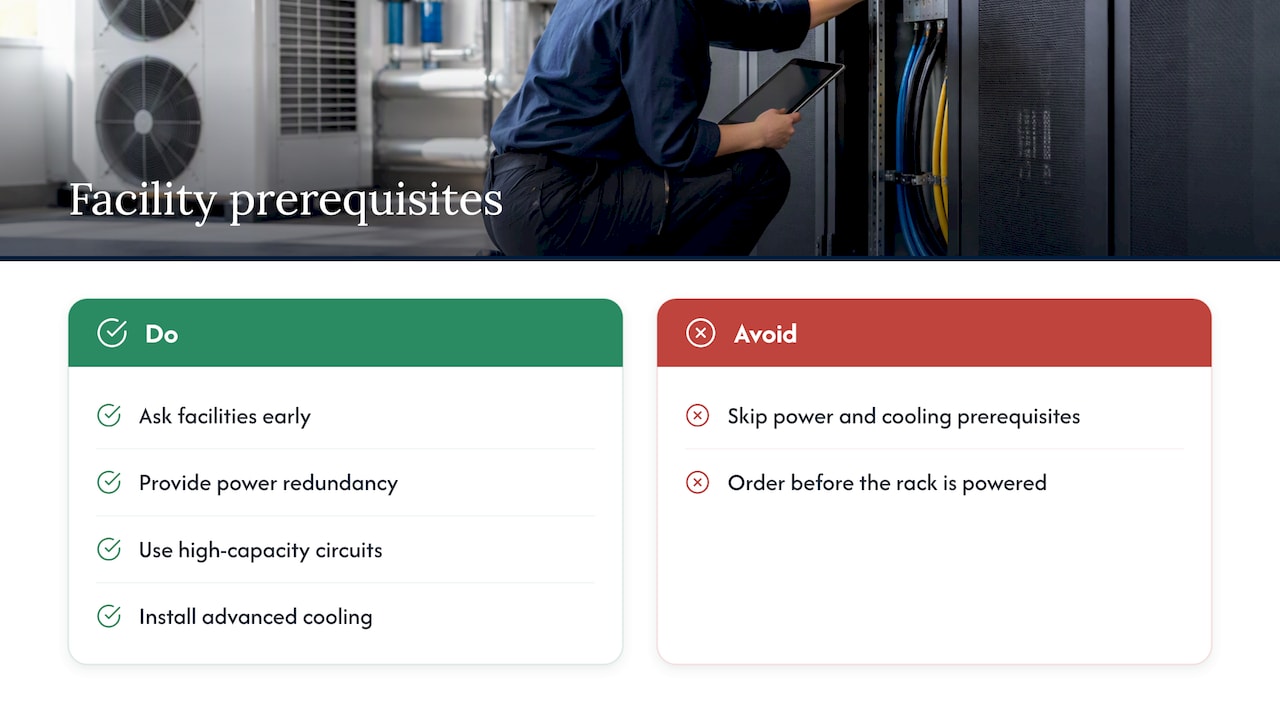
Standard office or legacy server rooms often cannot host dense GPU racks. Poolside’s deployment guidance points to power redundancy, specialized high-capacity circuits and advanced cooling as prerequisites, and warns that skipping them leads to thermal throttling and unstable hardware. Ask facilities early. A procurement order that arrives before the rack can be powered is the most common avoidable delay.
Local AI deployment at the edge
Edge LLM deployment puts inference on or near the device that needs it: a ruggedized server in a plant, a workstation in a field office, a single machine on a technician’s bench. It suits sites where connectivity is poor, latency matters, or data cannot leave the location.
The tradeoffs differ from the data center:
- Smaller compute envelope. Models must be chosen and tuned to fit available memory and power.
- Many sites, one standard. Ten edge locations that each drift in configuration become ten security problems. You need repeatable images and centrally governed updates.
- Physical exposure. Devices outside a data center need disk encryption and tamper considerations.
Runtimes built for edge hardware document their own workflows. NVIDIA’s TensorRT Edge-LLM installation guide lays out several deployment workflows depending on the target, which is a useful reminder that edge targets are not interchangeable. A HoloHub tutorial on deploying Llama-2 70b at the edge shows what a local, open-weight deployment involves in practice.
Embeddings on-prem: the part people forget
A private assistant is rarely just a chat model. To answer from your manuals, contracts or tickets, it needs an embedding model that converts documents into vectors, and a store that retrieves them. If you run the chat model locally but send your documents to an external embedding API, the data has still left your perimeter.
Keep the whole retrieval path inside:
- Run the embedding model on your own hardware alongside the generator.
- Host the vector index in your environment, with the same access controls as the source documents.
- Carry document-level permissions into retrieval, so a user only receives passages they are entitled to read.
- Re-embed on a schedule when documents or the embedding model change, and budget compute for it.
Source-backed answers matter here. For technical libraries, an answer without a citation to the page it came from is hard for an engineer to trust.
Air-gapped deployment: logistics are the hard part
An air-gapped network has no path to the internet, so everything must arrive by controlled transfer. Practitioners often underestimate this. NVIDIA’s edge LLM documentation is a reminder that each model checkpoint runs to tens of gigabytes, and container registries, object storage and checkpoints add overhead on top. In a restricted network, that is a transfer-and-validation process measured in days, not a download.
Plan for:
- A staging environment on the connected side where artifacts are built, scanned and signed.
- Controlled media or a one-way transfer path with a documented chain of custody.
- A local mirror of container images, packages and model files so installs and rollbacks do not need outside access.
- Provenance checks on every model and dependency before it crosses the boundary. Our note on AI supply chain security covers why provenance comes first.
- An update cadence agreed in advance, because patching an air-gapped system is an event, not a background task.
Securing the deployment
It is tempting to assume that on-premise equals secure. It does not. Guidance from ENISA on cybersecurity in the frontier AI era advises defenders to treat every environment as potentially already compromised and to deploy real-time, machine-learning-based protections. The NIST AI Risk Management Framework similarly frames trustworthiness, including security and privacy, as something managed across the whole AI lifecycle.
In practice, that means securing more than the model file:
- Segment the network. Put inference, vector stores and management planes in separate zones with explicit rules between them.
- Treat inference endpoints as live attack surfaces. Rate-limit them, log them, and watch for abnormal patterns that suggest prompt injection or attempts to extract data.
- Control who can reach models and weights. Weights are valuable assets and deserve the same protection as source code.
- Encrypt data at rest and in transit, including between internal services.
- Test continuously. Red-team the deployment, not just the infrastructure underneath it.
For a deeper look at safeguards for AI infrastructure, this guide to securing AI at the enterprise level is worth reading alongside your own security architecture review. For the leakage side specifically, see our breakdown of six enterprise AI data leakage paths.
A phased path from idea to production
A deployment plan that works across industries:
- Define the use case and the data boundary. Which documents and systems will the AI touch, and who may see what?
- Assess infrastructure. Power, cooling, rack space, network, storage and GPU supply lead times.
- Choose the deployment posture. Data center, edge, air-gapped or hybrid. Our post on four deployment postures for private AI assistants walks through the options for regulated teams.
- Select and test models against your own documents, not generic benchmarks.
- Build and harden the platform, including identity, logging, segmentation and a tested rollback.
- Pilot with a small group, measure answer quality, latency and user trust.
- Move to operations. Monitoring, patching, capacity planning, model updates and audit evidence.
Before go-live, run through the five checks we recommend before sovereign AI goes live.
Our perspective: infrastructure first, operations forever
We have watched capable teams stall on on-premise AI for the same reason: they treated it as a software purchase. The model is the easy part. The hard parts are the room it runs in, the network around it, the people who patch it, and the evidence an auditor will ask for a year later.
Our leadership comes from more than 20 years in high-consequence and Fortune 100 environments, and that shapes how we work. We design so that data, models and domain intelligence stay inside the customer’s infrastructure, and we validate that for privacy and auditability. We do not resell software. We deliver engagements: architecture, secure deployment, model integration and ongoing operation.
As an official webAI systems integrator, we bring webAI’s local-first platform into production. That includes AI Personas for specialized roles, the Intelligence Delivery Network, and webAI Frontline, which gives frontline teams fast, source-backed answers from large technical document libraries, fully offline on a single device. That technology is webAI’s. Our contribution is making it run correctly, securely and durably inside your perimeter. You can read more on the webAI partnership page.
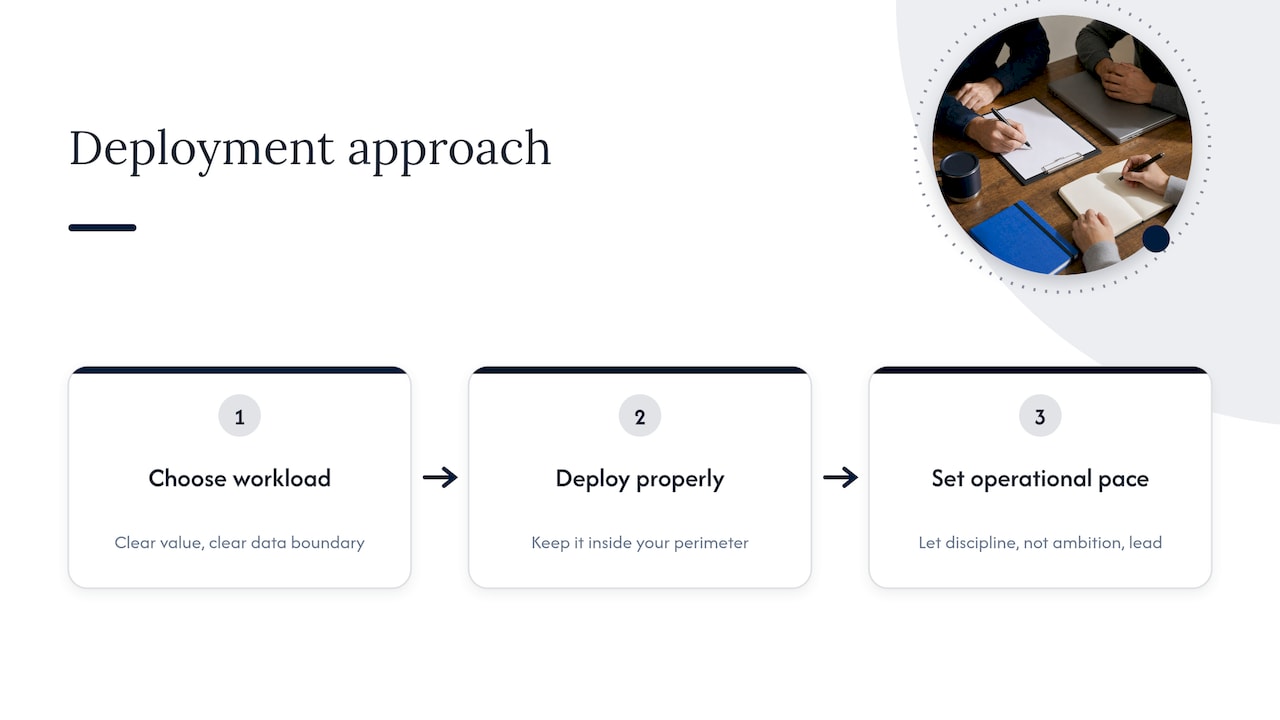
Our advice: pick one workload with clear value and a clear data boundary, deploy it properly, and let operational discipline, not ambition, set the pace for what comes next.
— John Ezzell, Founder
How Forge AI Deployment can help
Forge AI Deployment designs, deploys and operates private, sovereign AI systems inside enterprise data centers, edge sites and air-gapped networks. Our solutions cover secure local and air-gapped deployment, custom model integration and optimization, private AI assistant rollout, sovereign MLOps and runtime orchestration, and performance tuning with ongoing operations. If you have a workload that cannot leave your perimeter, start at our homepage to talk through your environment.
FAQ
What is the difference between on-premise and local AI deployment?
The terms overlap heavily. On-premise usually means a data center or server room you own or lease, while local AI deployment can also include edge sites and single devices. Both keep inference and data under your control rather than a vendor’s cloud.
Can on-premise AI run fully offline?
Yes, provided every component, including the model, embedding service, vector store and application, is installed locally. The tradeoff is that updates and new models must be delivered through a controlled transfer process rather than downloaded.
Is on-premise AI more secure than the cloud?
It gives you more control, but not automatic safety. As ENISA’s guidance suggests, you still need to assume compromise is possible and monitor inference endpoints. Responsibility for those safeguards moves to your team or your integrator.
What hardware do I need for an on-premise LLM?
It depends on model size, concurrency and context length. Some large deployments start from configurations such as four H200 GPUs, while smaller assistants need much less. Size from your workload, then confirm power and cooling.
Sources
- AI on-prem: what should you know? (Ubuntu)
- On-premises deployment (Poolside documentation)
- AI Applications with IBM Fusion Blueprints
- Installation, TensorRT Edge-LLM (NVIDIA)
- Deploying Llama-2 70b on the edge (HoloHub)
- ENISA’s view on Cybersecurity in the Frontier AI Era
- NIST AI Risk Management Framework (AI RMF 1.0)