An offline embedding model is a text-to-vector model that runs on hardware you control, so no document and no query leaves your network to get embedded. After a one-time download, it needs no provider, no API key and no connection. For search, retrieval-augmented generation (RAG) and document Q&A over sensitive material, that is often the difference between a project that clears security review and one that does not. This guide covers how they work, which ones to shortlist, what hardware they need, how to test them on your own data and what to lock down in air-gapped sites.
TL;DR
- Offline embedding models turn text into vectors locally. Once the weights are on disk, no network is required; only the first call to a model you have not downloaded needs one.
- For a shortlist, nomic-embed-text v1.5 suits CPU-only deployments, BGE-M3 suits multilingual or hybrid search, and Qwen3-Embedding-8B suits teams that put retrieval quality first and have a GPU.
- Public leaderboards are a starting point. Pick the winner by testing on your own documents and your own questions.
- Switching models later means re-embedding the whole corpus, so choose deliberately and record the exact model version.
- Local does not mean risk-free: vectors can leak information, so treat the vector store like the source documents.
Table of Contents
- What an offline embedding model does
- Which offline embedding models to shortlist
- Can a language model act as an embedding model?
- Hardware and software for offline embedding
- How to evaluate candidates on your own data
- Security considerations for local embeddings
- Our perspective
- Putting offline retrieval into production
- FAQ
- Sources
What an offline embedding model does
An embedding model converts a chunk of text into a fixed-length list of numbers. Chunks with similar meaning land close together in that numeric space, which is what lets a search for “vendor termination clause” find a paragraph about “ending a supplier contract” without sharing a single keyword.
The offline part is about where that computation happens. Local embedding models run on hardware you control, so the corpus and every user query are processed inside your boundary. The usual pattern, described in the Hugging Face course on semantic search, is to load a transformer model, embed the corpus and the query, then use a local vector index such as FAISS for nearest-neighbor lookup.
In a RAG system the embedding model is only one stage. A generator model still writes the answer, and a retrieval layer still decides which chunks it sees. But the embedder touches every document you own and every question anyone asks, which makes it the component with the broadest view of your data. That is why it deserves the same scrutiny as the language model.
Which offline embedding models to shortlist
There is no single best local embedding model. There are good fits for particular constraints. Three profiles cover most enterprise starting points, based on one October 2026 comparison:
| Model | Best fit | Main trade-off |
|---|---|---|
| nomic-embed-text v1.5 | CPU-only servers, small footprint | Lower retrieval ceiling than the largest models |
| BGE-M3 | Multilingual corpora, hybrid dense and sparse search | Heavier than the CPU-first option |
| Qwen3-Embedding-8B | Retrieval quality as the top priority | Needs a GPU with at least 8 GB of VRAM |
The same comparison puts nomic-embed-text v1.5 at roughly 274 MB in its fp16 build with a 62.28 MTEB English score, which is why it is a common default where there is no accelerator. Other open families you will meet are BGE from BAAI, E5 from Microsoft, and GTE from Alibaba. Leaderboard positions move often, so check the live MTEB leaderboard before you commit rather than trusting any ranking printed in an article, including this one.
Language coverage matters more than rank
If your documents are in several languages, a top English score tells you little. Match the model’s training languages to your data first, then compare. We cover the deployment side of this in running multilingual private AI inside your perimeter.
Mind the query and document prefixes
Some models expect task prefixes. The nomic-embed-text v1.5 model card shows the pattern: chunks are embedded with a search_document: prefix and queries with a search_query: prefix. Skipping the prefixes is a common reason a good model looks mediocre in a first test.
Can a language model act as an embedding model?
Yes, with caveats. Decoder-only language models can produce embeddings from their hidden states, for example by averaging across tokens. Research shows that using a pretrained LLM this way without extra training tends to be suboptimal, because these models are trained to predict the next token rather than to summarize a passage into one vector. Methods that adapt an LLM with contrastive training fix much of that gap, and several top-ranked embedding models, Qwen3-Embedding-8B among them, are built from LLM backbones.
For most teams, the practical rule is simple. Use a model that was released as an embedding model. It will be smaller, faster to run on every chunk and every query, and cheaper to keep in memory next to your generator. Reach for an LLM-derived embedder only when a retrieval test on your data shows it is worth the added hardware.
Hardware and software for offline embedding
Embedding is a lighter workload than generation, and that surprises many teams planning an air-gapped build.
- CPU only. Sub-billion-parameter models can run on a laptop CPU. That is enough for small and mid-size document sets, and for query-time embedding in most deployments.
- GPU memory. In the same measurements, every model tested except Qwen3-Embedding-8B peaked under 2.5 GiB of VRAM. The 8B class is where you plan a dedicated accelerator.
- Runtimes. Common choices are sentence-transformers, llama.cpp and Ollama.
- Vector store. A local index such as FAISS is enough to start. Production systems usually add a database with access control, backup and metadata filtering.
The bulk indexing run is where throughput matters. Embedding millions of chunks once can justify a GPU even when query-time embedding runs happily on CPU. Size the two jobs separately.
Getting weights into an air-gapped network
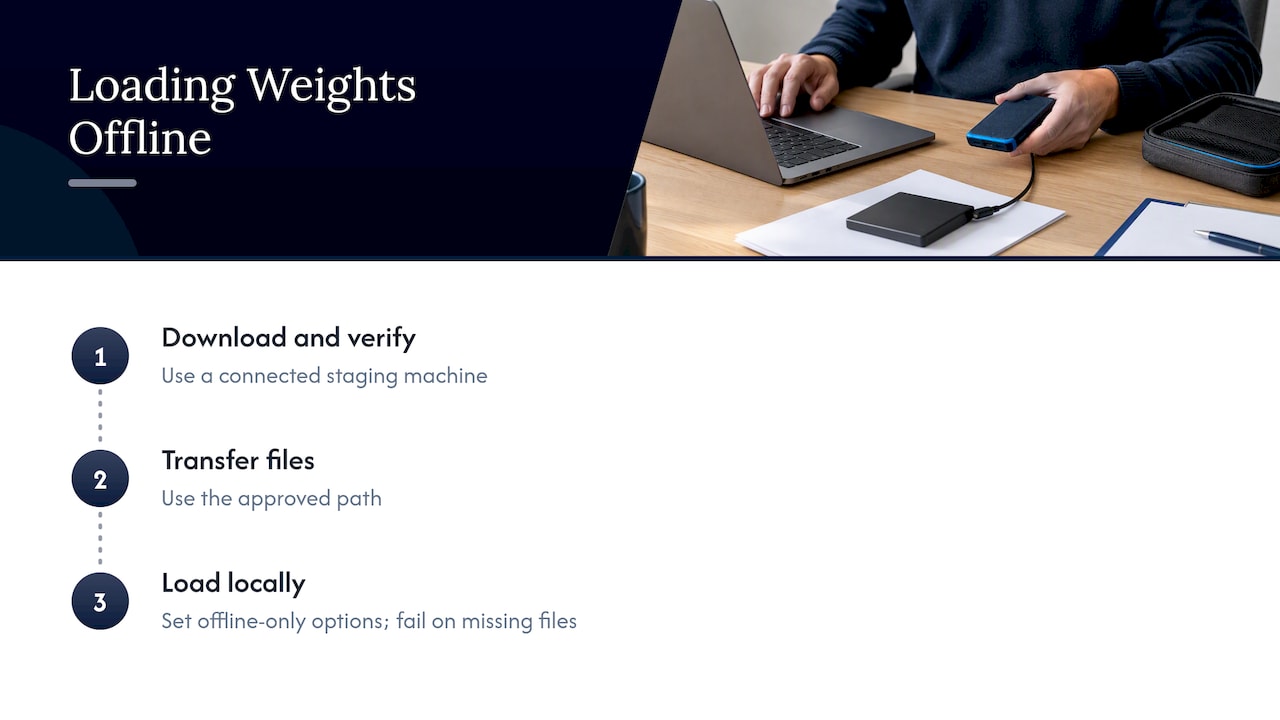
On a connected staging machine, download the model files and verify them. Then move them across your approved transfer path and load them from a local directory. Hugging Face libraries support this directly: setting HF_HUB_OFFLINE=1 or loading local files only stops them from reaching for the network and makes a missing file fail loudly instead of silently trying to download.
Treat the weights as a supply chain artifact. Record the source, the exact revision and a checksum, and scan any code a model repository asks you to trust. Our piece on AI supply chain security and provenance goes through the checks, and running AI with no internet covers the operating side of a disconnected site.
How to evaluate candidates on your own data
Public benchmarks average over tasks that look nothing like your maintenance manuals, contracts or trade confirmations. Academic work on this question reaches the same conclusion: model choice should follow the downstream application and a local gold set of queries, since public-dataset results can mislead.
A practical test fits in a week:
- Sample. Pull 500 to 2,000 representative chunks from your real corpus, as the October 2026 comparison suggests.
- Write questions. Generate or hand-write questions each chunk can answer. Have a subject-matter expert review a subset.
- Run each candidate. Embed the chunks and the questions with each shortlisted model, using the correct prefixes.
- Score. Check whether the right chunk appears in the top K results, with a binary hit rate or nDCG@10.
- Weigh the rest. Compare throughput, memory, context length and language coverage against the hardware you actually have. Check the license terms as well, since open weights are not all under the same license.
- Pin the winner. Use the same model and version for indexing and querying. Embedding models produce incompatible vector spaces, so mixing them breaks retrieval.
For measuring retrieval beyond a hit rate, see our engineering note on practical retrieval evaluation with UDCG and eRAG.
Security considerations for local embeddings
Keeping embedding on-site removes the largest exposure: sending sensitive text to an outside service. It does not remove every risk.
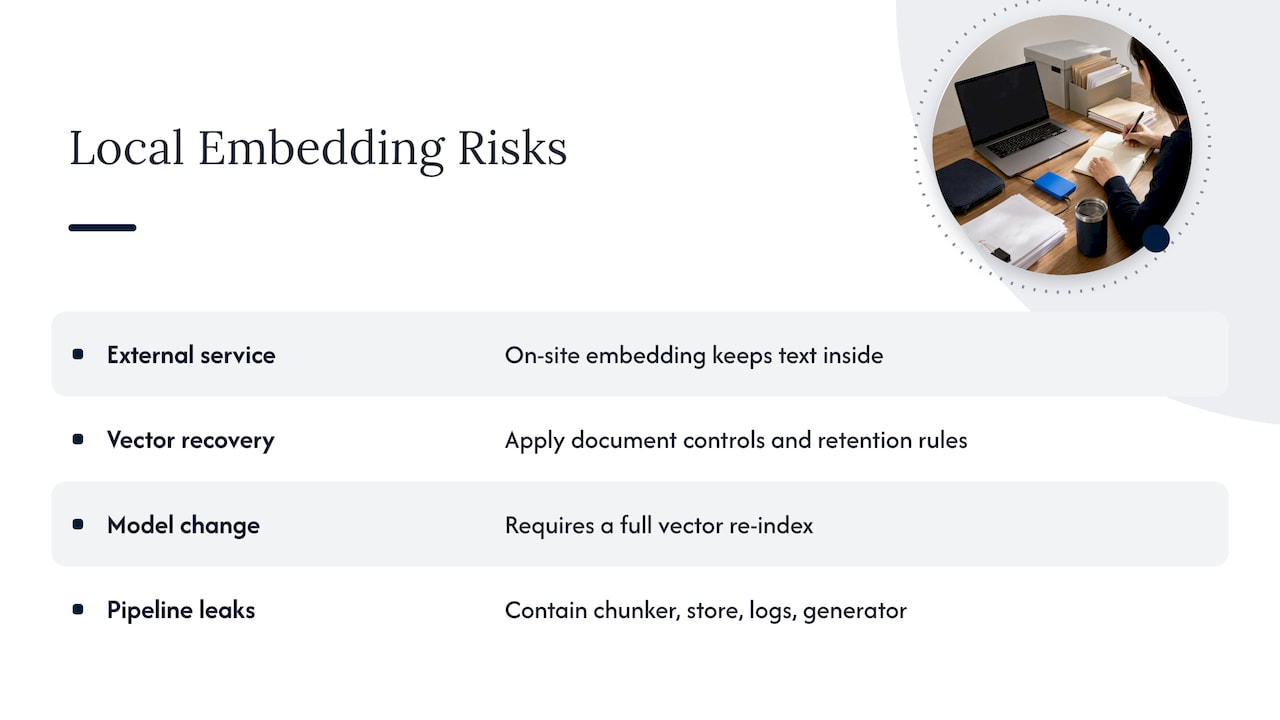
Vectors are not anonymous. Researchers have shown that embeddings can be attacked to recover the underlying text, which is why perturbation defenses are an active research area. In practice, that means the vector index should carry the same classification, access controls and retention rules as the documents it came from. For a structured way to weigh this against other exposures, an AI risk assessment framework is a useful companion when you decide what may be embedded at all.
Re-embedding is an operational cost. Because switching models invalidates every stored vector, plan for a full re-index when you upgrade. Keep the raw chunks and a record of which model and version produced each index, so a rebuild is a routine job rather than an archaeology project.
Control the whole path. Offline embedding only protects you if the rest of the pipeline is equally contained: the chunker, the vector store, logs and the generator. Our guide to six paths of enterprise AI data leakage shows where data tends to escape, often through logging and tooling rather than the model itself. For runtime controls, see mapping NIST and OWASP into zero trust for AI.
Our perspective
Most teams we meet start by asking which embedding model is best. We think the better first question is where the whole retrieval path runs and who can see it. A strong embedder inside a leaky pipeline is still a leak, and a modest embedder inside a controlled perimeter is something a security team can approve.
Our experience comes from leadership with more than 20 years in high-consequence and Fortune 100 environments, and it shapes how we work: operational discipline first, tooling second. We deploy and operate webAI’s local-first platform as an official webAI systems integrator, so we are not selling you a model. We are making a retrieval system run inside infrastructure you control, with data, models and domain knowledge staying there.
Three habits follow from that. We choose an embedding model after testing it on the customer’s own documents, never from a leaderboard alone. We pin versions and keep the rebuild path documented, because re-embedding will happen. And we design for the disconnected case from day one, because adding offline support to a cloud-dependent design is harder than the reverse.
— John Ezzell, Founder
Putting offline retrieval into production
A notebook that embeds a folder of PDFs is a weekend job. A system that serves a few thousand engineers or analysts, survives model upgrades and passes audit is a different project. Forge AI Deployment designs, deploys and operates private AI inside enterprise data centers, edge sites and air-gapped networks. That includes webAI Frontline, which gives frontline teams fast, source-backed answers from large technical document libraries, fully offline on a single device. If you are weighing an offline retrieval build, see our private and air-gapped deployment services or read how the webAI platform sits behind our deployments.
FAQ
What is the best local embedding model?
It depends on your hardware, languages and documents. A common starting split is nomic-embed-text v1.5 for CPU-only servers, BGE-M3 for multilingual or hybrid search, and Qwen3-Embedding-8B when quality matters most and a GPU is available. Test two or three on your own chunks before you choose.
Is there a free embedding model?
Yes. Many open-weight models can be downloaded and run at no per-call cost, and self-hosting removes API dependency. You still pay for hardware, operations and engineering time, and each model has its own license, so read it before commercial use.
Can I run embedding models in an air-gapped network?
Yes. Download and verify the model files on a connected machine, transfer them through your approved path, and load them from a local directory with offline mode enabled. Nothing about inference requires a connection after that.
Do I need to re-embed my documents if I change models?
Yes. Different models produce incompatible vector spaces, so an index built with one cannot be queried with another. Keep your source chunks and a record of the model version so a rebuild is straightforward.
Sources
- Use local models, StrataDB Docs
- Semantic search with FAISS, Hugging Face course
- Local Embedding Models in 2026: Which to Run, What Hardware
- Best Open-Source Embedding Models for RAG in 2026
- nomic-embed-text-v1.5 model card, Hugging Face
- LLM2Rec: Large Language Models Are Powerful Embedding Models
- Installation and offline mode, Hugging Face Transformers
- Choosing a Text Embedding Model: A Practical Guide
- Safeguarding LLM Embeddings in End-Cloud Collaboration