Kubernetes gives LLM inference what a single GPU server cannot: scheduling across GPU nodes, health checks, rolling updates, autoscaling and a stable endpoint for applications. It earns its complexity once you serve more than one model, more than one team, or traffic that moves around. For a single model on a single box, plain containers are often enough. This guide covers what you need on the cluster, how to deploy and validate a vLLM endpoint, how KServe and vLLM relate, how to scale and monitor, and how to keep every prompt inside infrastructure you control.
TL;DR
- Kubernetes provides orchestration, scaling and high availability for containerized inference services. Use it when you have several models, several teams or variable load.
- A minimal endpoint needs GPU drivers, a device plugin, a vLLM Deployment that requests a GPU, cached model storage and a Service. Validate with a real completion request, not just a Running pod.
- KServe and vLLM are not rivals. vLLM is the inference engine; KServe is the Kubernetes layer that deploys, routes and scales it.
- Scale on inference signals such as queue depth and KV cache usage, not CPU.
- For regulated data, add default-deny egress, an internal registry and mirrored model artifacts so nothing leaves the perimeter.
Table of Contents
- When Kubernetes makes sense for LLM serving
- What the cluster needs before the first pod
- Deploy a vLLM endpoint step by step
- KServe vs vLLM: different layers, often used together
- Scaling and monitoring inference
- Harden the pod
- Keep prompts and model data inside your perimeter
- Our perspective: the cluster is the easy part
- How Forge AI Deployment helps
- FAQ
- Sources
When Kubernetes makes sense for LLM serving
A model server is a long-running process that holds weights in GPU memory, batches requests and streams tokens. Kubernetes does not make that process faster. It makes the fleet around it manageable.
Reach for Kubernetes when:
- You run several models or versions. Each gets its own Deployment, resource requests and rollout policy.
- Load is uneven. Business-hours chat, overnight batch jobs and evaluation runs compete for the same GPUs, and a scheduler arbitrates.
- Availability matters. Failed pods are replaced, and readiness probes keep traffic away from replicas that are still loading weights.
- Platform teams already operate clusters. Reusing RBAC, network policy, secrets handling and observability beats building a parallel stack.
Skip it when you have one model, one team and a predictable load. A container on a well-managed host is simpler to run, and you can move to a cluster later because the container image carries over.
Managed offerings show the typical feature set. Google’s documentation describes GPU and TPU support, horizontal pod autoscaling with custom metrics, Kueue and portable Kubernetes APIs for inference workloads. The same building blocks exist in any conformant cluster, including those in your own data center.
What the cluster needs before the first pod
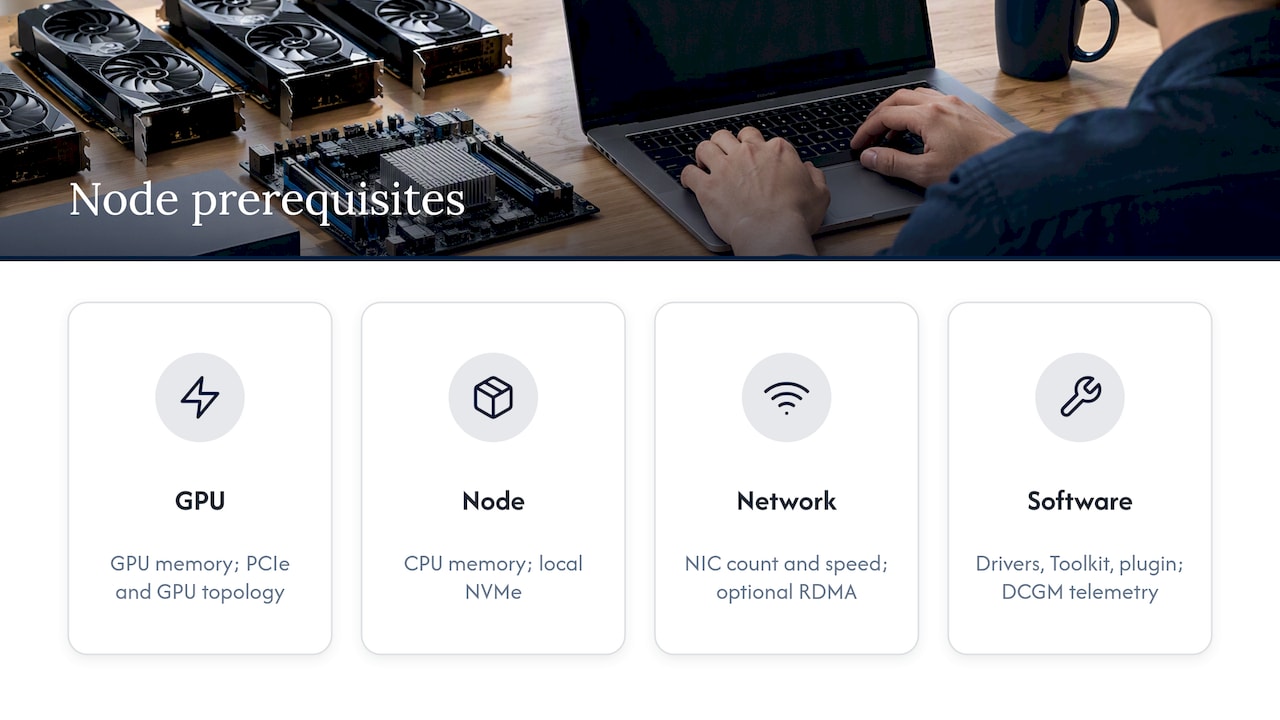
Most failed first deployments are node problems, not manifest problems. NVIDIA’s inference reference architecture tells you to plan for GPU and CPU memory, local NVMe, NIC count and speed, PCIe topology and GPU-to-GPU topology. Its software baseline is NVIDIA drivers, the Container Toolkit, the device plugin, DCGM telemetry and, when your parallelism needs it, networking for RDMA or GPUDirect RDMA.
GPU access
Kubernetes does not know what a GPU is until a vendor plugin tells it. Per the official documentation, device plugins advertise resources such as GPUs to the kubelet, so workloads can request them without changes to Kubernetes itself. Install the right plugin before you deploy a model, then confirm the node reports allocatable GPUs.
Storage
Separate three kinds of data, as NVIDIA’s guidance does: persistent model artifacts, ephemeral cache, and telemetry retention. Local NVMe can serve model caches and KV-cache offload, which shortens cold starts. A persistent volume for weights means a rescheduled pod does not download tens of gigabytes again.
Networking
Single-GPU serving needs little beyond a Service. Multi-GPU and multi-node serving is different: tensor parallelism moves activations between GPUs on every token, so topology and NIC placement decide your latency. Plan it before you buy hardware, not after.
Deploy a vLLM endpoint step by step
The vLLM project documents a pattern that most production setups start from. On a cluster with free GPU resources and the NVIDIA device plugin, you create a Deployment that requests a GPU, runs vllm serve on port 8000, mounts model-cache storage and shared memory, and a ClusterIP Service in front of it.
- Create a PersistentVolumeClaim for the model cache so weights survive pod restarts.
- Write the Deployment. Use the
vllm/vllm-openaiimage, callvllm servewith your model identifier, expose container port 8000 and requestnvidia.com/gpu: "1". The vLLM docs also mount the cache volume and an in-memory volume at/dev/shm, which tensor-parallel inference needs. - Add probes. Engines can take a long time to load. One vLLM-ecosystem example uses a startup probe on
GET /healthat port 8000 with a failure threshold of 120, because long startup delays are necessary for graph compilation. Without a generous startup probe, Kubernetes kills a healthy pod that is still loading. - Create the Service. The same example maps Service port 80 to container port 8000 with a ClusterIP.
- Apply and test. Apply the claims, the Deployment and the Service, then send a
/v1/completionsrequest withcurl.
Validate it actually serves
A Running pod proves little. Check in layers:
- Health. A
curlto/healthshould return HTTP 200, a transport and readiness check before any completion call. - Completion. KServe’s tutorial sends an OpenAI-compatible POST to
/v1/completionswith a model name and prompt. A JSON response with generated text, choices and usage confirms the endpoint is serving inference, not merely running. - Logs. In the KServe gateway example, you also check gateway logs to verify the pipeline is active after a
/v1/chat/completionscall.
Be patient on the first run. KServe’s own tutorial notes that model download may take several minutes.
KServe vs vLLM: different layers, often used together
The question “KServe or vLLM?” mixes two layers. vLLM is the engine: it loads weights, manages the KV cache and batches requests. KServe is a Kubernetes control layer: custom resources, routing, rollout and scaling.
| vLLM | KServe | |
|---|---|---|
| Role | Inference engine and OpenAI-compatible server | Kubernetes model-serving platform |
| You write | A Deployment and Service by hand | A custom resource; the controller generates the rest |
| Routing | Whatever your Service or ingress gives you | Gateway-based, with LLM-aware routing |
| Best for | One model, fast start, full manual control | Many models, platform teams, standard operations |
They combine cleanly. vLLM can be deployed through KServe’s Hugging Face serving runtime or through LLMInferenceService, which uses llm-d. LLMInferenceService is a KServe custom resource, and llm-d combines vLLM’s engine with Kubernetes orchestration and intelligent routing.
KServe also distinguishes two resource types. InferenceService is optimized for predictive AI, while LLMInferenceService is purpose-built for generative AI, with advanced routing, multi-node orchestration and prefill-decode separation. The administrator guide lists it for advanced features such as prefix routing and disaggregated serving.
A practical rule: start with a hand-written vLLM Deployment to learn your model’s memory and latency behavior. Move to KServe when you are managing a handful of models and want one declarative workflow for all of them.
Scaling and monitoring inference
CPU-based autoscaling is the wrong signal for a GPU-bound server. A pod can be saturated while its CPU sits idle. Scale on what the engine reports.
Scale on inference signals
- KEDA scales workloads on external events or metrics. KServe’s autoscaling guide shows KEDA scaling InferenceServices using Prometheus or OpenTelemetry metrics, including vLLM running-request metrics and KV cache usage.
- Knative suits HTTP traffic-based scaling, while KEDA suits scaling on external events or metrics for generative services.
- AI-aware load balancing goes further. Google’s Inference Gateway extends the Gateway API to balance on backend capacity and metrics such as KV-cache utilization, and can multiplex LoRA adapters on a shared model pool.
- Predictive planning is emerging. NVIDIA Dynamo’s SLA Planner forecasts load with models such as ARIMA, Kalman and Prophet and adjusts GPU worker replicas against latency targets.
Remember that a new replica needs minutes to load weights. Keep a warm minimum, scale up early, and scale down slowly.
What to watch
Track four things per model: time to first token, inter-token latency, throughput in tokens per second, and GPU utilization with memory headroom. Add queue depth and KV cache usage, since those predict trouble before users feel it. The CNCF notes that OpenTelemetry collects logs, metrics and traces, while Prometheus handles monitoring and alerting. DCGM telemetry, part of NVIDIA’s baseline, covers the GPU side.
If cost per request is your driver, see our engineer-level look at LLM inference TCO and our notes on tracking joules per token on premises.
Harden the pod
Inference pods process your most sensitive text, so treat them as a security boundary. NVIDIA’s example vLLM workload sets readOnlyRootFilesystem: true, seccompProfile: RuntimeDefault and allowPrivilegeEscalation: false. Copy that baseline. Then mount only the writable paths the engine needs, such as the cache and /dev/shm.
Caching deserves its own review. Prefix and KV caching speed up serving, but in multi-tenant setups they can expose one tenant’s content to another if keys are shared. Our guide to LLM caching strategies and tenant data leaks covers it.
Keep prompts and model data inside your perimeter
Running Kubernetes on your own hardware does not by itself keep data in. A cluster can still pull images from public registries, download weights from the internet at start-up and ship telemetry to a SaaS dashboard. Close those paths deliberately:
- Default-deny egress. Apply a NetworkPolicy that blocks outbound traffic from the inference namespace, then allow only DNS and named internal services. This requires a CNI that enforces network policy.
- Internal registry only. Mirror every image, including the engine, device plugin and exporters, into a registry you operate, and pin by digest.
- Pre-staged weights. Load model artifacts into internal object storage or a persistent volume ahead of time, and verify checksums. Turn off any runtime download from public model hubs.
- Self-hosted telemetry. Keep Prometheus, logs and traces inside the boundary. Prompts often leak through logs, so decide what you log.
- One front door. Route all clients through an internal gateway that handles authentication, rate limits and audit logs.
Fully disconnected sites add a verification problem: you must prove that what runs is what you approved. We cover that in air-gapped Kubernetes and artifact verification, and the gateway pattern in gateway-first on-prem LLM design. For the wider picture of how data escapes AI systems, see six enterprise data leakage paths.
Our perspective: the cluster is the easy part
We get asked to “put an LLM on Kubernetes” and the manifests are rarely where projects stall. They stall on the things around the cluster: who approves an image before it enters an air-gapped network, which team owns GPU capacity, what happens when a model update changes answer quality, and whether anyone can show an auditor where a prompt went.
Our view, shaped by leadership experience of more than 20 years in high-consequence and Fortune 100 environments, is that operational discipline beats clever architecture. Start with the smallest topology that meets the requirement. Make every artifact traceable. Test the failure paths, a lost GPU node and a stalled model load, before users find them. And decide up front that data, models and domain intelligence stay inside infrastructure the customer controls.
We also think teams over-build routing early. A single well-tuned endpoint with solid observability teaches you more than a disaggregated serving design you cannot yet measure. Add sophistication when the metrics ask for it. Model size matters here as well, and smaller, well-prepared weights make this easier, a topic we cover in our post on reproducible LLM quantization.
— John Ezzell, Founder
How Forge AI Deployment helps
Forge AI Deployment designs, deploys and operates private AI systems inside infrastructure you control: enterprise data centers, edge sites and air-gapped networks. As an official webAI systems integrator, we bring webAI’s local-first platform into production, including specialized AI Personas, the Intelligence Delivery Network, and webAI Frontline, which gives frontline teams fast, source-backed answers from large technical document libraries, fully offline on a single device.
If your plan includes Kubernetes, we handle architecture, secure deployment, model integration, sovereign MLOps and ongoing operation, so your team gets a working private endpoint rather than a project. See the sovereign AI deployment services we offer, or read about the webAI partnership behind our deployments. For the policy side, our guide to NIST-aligned private LLM runtime policy is a good companion.
FAQ
Can I run LLM inference on Kubernetes without a cloud provider?
Yes. Kubernetes runs on bare metal, in a data center or at an edge site. You need GPU nodes with drivers and the vendor device plugin, storage for models, and an internal registry. Air-gapped sites also need a process for importing and verifying images and weights.
Do I need KServe to run vLLM on Kubernetes?
No. A Deployment, a Service and a PersistentVolumeClaim are enough for a first endpoint. KServe adds declarative model management, routing and autoscaling, which pays off once you operate several models.
Why is HPA on CPU a poor fit for LLM serving?
GPU-bound servers can be saturated while CPU stays low. Scale on signals the engine reports, such as running requests and KV cache usage, using KEDA with Prometheus or OpenTelemetry metrics.
How do I know the endpoint is really working?
Check /health for HTTP 200, then send a /v1/completions or /v1/chat/completions request and confirm a JSON response with generated text and usage data. A Running pod alone does not prove inference works.
Sources
- About AI/ML model inference on GKE
- NVIDIA Inference Reference Architecture
- Device Plugins, Kubernetes documentation
- Using Kubernetes, vLLM documentation
- Kubernetes, SenDNN Inference Plugin
- Deploy a vLLM inference service, CoreWeave Docs
- Deploy Your First LLM with LLMInferenceService, KServe
- LLMInferenceService with AgentGateway, KServe
- Understanding LLMInferenceService, KServe
- Administrator Guide, KServe
- KServe, vLLM documentation
- Autoscaler, KServe
- Considerations when doing AI on Kubernetes, CNCF
- Implementing High-Performance LLM Serving on GKE
- How to Optimize GPU Resource Planning with NVIDIA Dynamo
- vllm-metrics-test.yaml, NVIDIA aicr