
Tokens per second (TPS) is how many tokens a language model produces each second. Whether that number is good depends on what you are measuring. For one user reading a stream, about 20 to 25 tokens per second is a sensible floor for interactive work. For a whole server, TPS is a capacity figure that rises as you add concurrent users, until it stops rising. Most confusion about “LLM TPS” comes from mixing those two meanings.
This guide separates them, shows how to estimate a ceiling before you buy hardware, and explains how to set a target you can defend in a private or air-gapped environment.
TL;DR
- Two different numbers share one name. Per-user TPS is how fast one response streams. System TPS is the total output across all active requests. They move in opposite directions as load grows.
- A practical interactive floor is roughly 20 to 25 tokens per second per user, which is a 40 to 50 ms gap between tokens. Faster than a person reads adds little.
- TPS alone misleads. Pair it with time to first token (TTFT) and time per output token (TPOT), and judge them at the 99th percentile, not the average.
- Do not run at 100% of saturation. Plan a production operating point of roughly 50 to 70% of peak so latency spikes and errors stay rare.
- On-prem, hardware sets the ceiling. Memory bandwidth and model size give you a back-of-envelope limit before any benchmark.
Table of Contents
- What tokens per second actually measures
- Per-user speed versus system throughput
- What is a good tokens-per-second target?
- Why the average hides the problem
- Estimating your ceiling before you benchmark
- Choosing your operating point
- Levers that raise TPS without more hardware
- Our perspective: speed is a design constraint, not a scoreboard
- Running this inside your own perimeter
- FAQ
- Sources
What tokens per second actually measures
A token is a chunk of text, often a word fragment. A model generates output one token at a time, so “how fast is it” becomes “how many tokens come out per second.”
The confusing part is the denominator. Three related metrics describe an inference system, and vLLM’s metrics documentation and the capacity-planning guidance built on it treat them as interdependent:
| Metric | What it answers | Who feels it |
|---|---|---|
| Time to first token (TTFT) | How long until anything appears? | Every user, at the start of each request |
| Time per output token (TPOT), also called inter-token latency (ITL) | How quickly does text stream after it starts? | The person reading the stream |
| System throughput (TPS) | How many output tokens does the whole system produce per second? | The operator sizing hardware |
TPOT is the average time between successive output tokens, and it is what governs how fast text seems to stream once the first token has appeared, as one walkthrough of LLM inference measurement explains. Per-user speed is simply 1 divided by TPOT. A TPOT of 40 ms is 25 tokens per second.
When a forum post says a small model hits hundreds of tokens per second, it usually means a single stream on one machine. When a vendor quotes thousands, it usually means aggregate throughput across many parallel requests. Neither number tells you what your users will experience until you know which one it is and under what load.
Per-user speed versus system throughput
The AWS AI on EKS benchmarking guidance describes TPS as the output tokens a system generates each second across all active requests. As more requests run in parallel, system TPS typically climbs. But each individual user’s experience often gets worse once hardware resources saturate.
That is the central trade-off of running your own inference:
- Low concurrency: each user gets a fast stream, but the hardware sits partly idle and cost per token is high.
- High concurrency: the system produces more total tokens, but each stream slows and first tokens arrive late.
- Past saturation: throughput plateaus or falls, and TTFT spikes and error rates climb.
So a statement like “our deployment does 3,000 tokens per second” is incomplete. Ask: at how many simultaneous users, with what prompt lengths, and what was the per-user speed at that point?
What is a good tokens-per-second target?
The answer depends on who or what consumes the output.
Human readers
The MLCommons benchmark work gives a useful anchor. In the MLPerf Inference v5.0 write-up, interactive workloads are held to a strict latency constraint on time per output token, on the order of 40 to 50 ms, which equates to roughly 20 to 25 tokens per second per user. That is the standard the industry’s reference benchmark uses to keep interactive and agentic use cases responsive.
In practice:
- Below about 10 tokens per second feels sluggish to most readers.
- About 20 to 25 is fluent for chat and document Q&A.
- Much above that is rarely noticed by someone reading along, though it still helps when output is long and the user waits for completion.
If the output is displayed as it streams, a lower speed is tolerable than if the interface shows text only when the whole response is done. Design the interface and the target together.
Agents and pipelines
No person is reading a stream when an agent calls a model, so per-user streaming speed matters less than total time to a finished answer. An agent that reasons through many steps pays the TTFT and generation time at every step, so small delays multiply. MLCommons notes that benchmarking is shifting away from simple aggregate TPS toward strict latency constraints on TTFT and TPOT, reflecting this move from plain text generation to agentic reasoning. For agents that also pull in outside material, it is worth reading how web content gets prepared as LLM-friendly markdown, since smaller, cleaner inputs also shorten the prefill stage that sets TTFT.
Batch jobs
For overnight summarization or document classification, nobody waits on a stream. Here, system TPS is the number that matters, and you can push utilization higher than you would for interactive traffic.
Why the average hides the problem
An average TPS can look healthy while a meaningful share of users have a bad time. Interactive benchmarks therefore set their thresholds at a high percentile. MLPerf’s interactive scenarios, as MLCommons describes them, measure against a 99th percentile limit of 25 tokens per second (a 40 ms TPOT), so responsiveness is not allowed to degrade at peak concurrency.
Apply the same discipline internally. Track these three things at P50, P95 and P99:
- TTFT, to catch queueing and long-prompt prefill.
- TPOT, to catch slow streaming under load.
- Error and timeout rate, to catch saturation.
vLLM exposes a Prometheus-compatible metrics endpoint with gauges such as the number of requests running, which makes it straightforward to feed these into the dashboards your operations team already uses. If you already monitor network and infrastructure health through an AIOps tool, guidance on AI-assisted infrastructure troubleshooting is a useful reference for the surrounding process of anomaly detection and triage.
Estimating your ceiling before you benchmark
Generating each token requires reading the model’s active weights from memory. For a single stream, that makes memory bandwidth the usual limit on decode speed, not raw compute. A rough ceiling is:
ceiling (tokens/s) ≈ memory bandwidth ÷ bytes of weights read per token
A worked example, using round numbers of our own for illustration:
- A model whose weights occupy 40 GB in memory
- Hardware with 2,000 GB/s of memory bandwidth
- Ceiling: 2,000 ÷ 40 = about 50 tokens per second for one stream
Real systems land below that ceiling because of software overhead, the growing key-value cache, and scheduling. The value of the formula is directional. It tells you quickly that a larger model on the same hardware gets proportionally slower per user, and that doubling bandwidth does more for single-stream speed than doubling compute.
The formula applies to one stream. With batching, the same weight read serves many requests at once, which is why system TPS can grow far beyond the single-stream ceiling while each user’s speed drops.
Choosing your operating point
The AWS guidance recommends determining a production operating point, typically 50 to 70% of peak saturation, because performance plateaus or degrades at maximum capacity. The reasoning is simple. At 100% you have no headroom for a burst of long prompts, a retried request, or a node that drops out.
A workable process:
- Define the target. For example: P99 TPOT at or under 40 ms and a P99 TTFT your users accept for your typical prompt length.
- Replay realistic traffic. Use your own prompt and output length distributions, not synthetic short prompts.
- Ramp concurrency until either target is breached, and note the system TPS at that point. That is your peak usable throughput.
- Set the operating point at roughly 50 to 70% of that peak.
- Alert on drift. If P99 TTFT creeps up at the same load, something changed: a longer context, a new model version, or a hardware fault.
This is why a single headline figure never replaces measurement on your own hardware with your own workload.
Levers that raise TPS without more hardware
Once you know where the bottleneck is, the options differ by phase.
- Prefill-bound (slow first token): long prompts and large retrieved contexts. Trim context, cache shared prefixes, and give prefill more compute.
- Decode-bound (slow streaming): memory bandwidth and model size dominate. A smaller or better-suited model for the task often beats a bigger general one.
- Mixed traffic: disaggregated prefill and decode separates the two stages into different processes, so compute-heavy nodes handle bursty prefill while memory-optimized nodes handle decoding. The vLLM Ascend documentation describes the same disaggregation idea for encoder, prefill and decode stages. The aim is lower TTFT without giving up generation speed.
Speed is also not the only cost. Energy per token matters once you own the racks, which we cover in our piece on tracking joules per token on prem, and the price of each request shape is covered in LLM inference TCO for engineers.
Our perspective: speed is a design constraint, not a scoreboard
We see teams chase a tokens-per-second number because it is easy to quote. In regulated and high-security environments the better question is what the number has to be for the work to go well, and what it costs to hold it at the 99th percentile on a Tuesday afternoon.
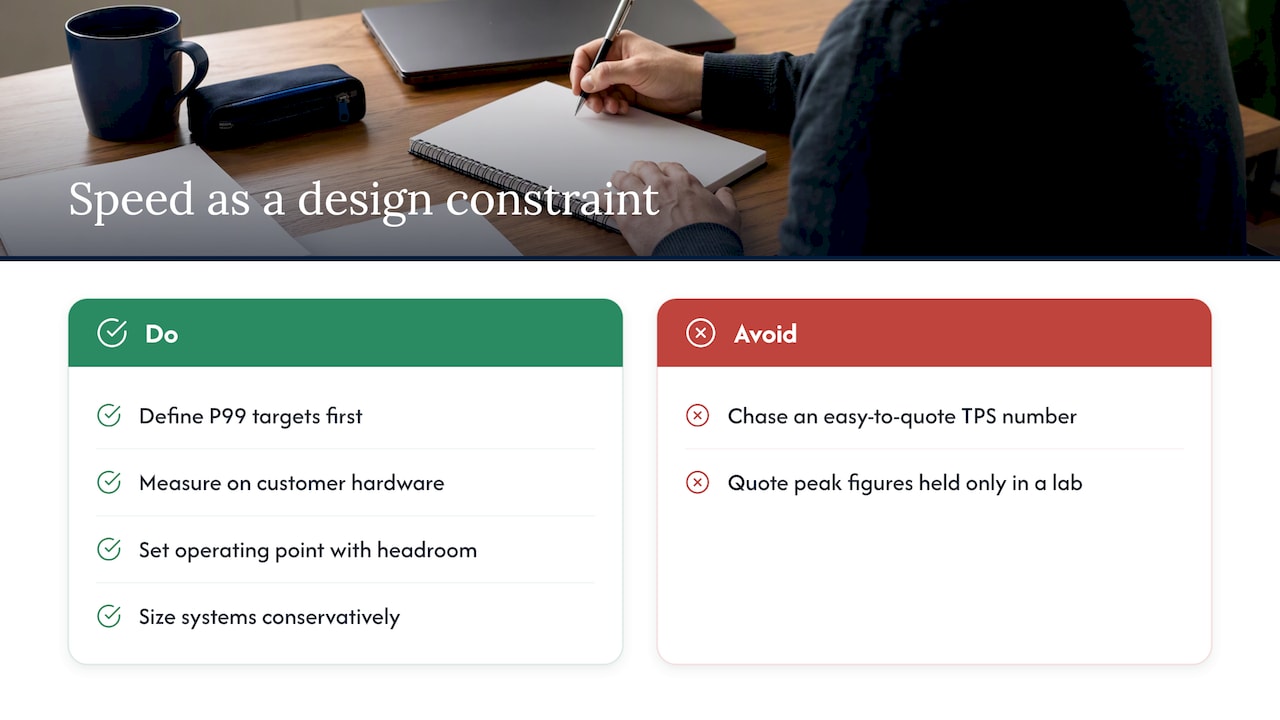
For technicians and analysts who query large technical document libraries, a fluent stream matters less than a first answer that arrives quickly and cites its source. That is why, with webAI Frontline, we think about responsiveness and source-backed answers together, running fully offline on a single device. For shared enterprise services, the discipline is the one above: define P99 targets first, measure on the customer’s own hardware, and set the operating point with headroom rather than at the edge.
The sovereignty angle adds one more constraint. When everything must stay inside your perimeter, you cannot burst to someone else’s capacity when demand spikes. So capacity planning is not a nice-to-have. It is the design. We would rather size a system conservatively and say so than quote a peak figure that only holds in a lab.
— John Ezzell, Founder
Running this inside your own perimeter
Forge AI Deployment designs, deploys and operates private AI systems inside infrastructure you control, including data centers, edge sites and air-gapped networks. As an official webAI systems integrator, Forge brings webAI’s local-first platform into production, including Personas, the Intelligence Delivery Network and Frontline, and handles architecture, secure deployment, model integration and ongoing operation. If you need a latency target translated into hardware and an operating plan, see our solutions or start from the Forge homepage.
For related reading, our guides on on-prem LLM gateways for regulated enterprises and on sovereign AI without performance loss go deeper on architecture.
FAQ
What is a good tokens per second for an LLM?
For one person reading a stream, roughly 20 to 25 tokens per second is a solid target, which corresponds to a 40 to 50 ms gap between tokens. Below about 10 feels slow. For a server, a good number depends on how many concurrent users it serves at that per-user speed.
What does LLM TPS stand for, and is it the same as latency?
TPS means tokens per second. It is not the same as latency. TTFT measures the wait before the first token, TPOT measures the gap between tokens, and TPS is the rate at which tokens are produced, either per user or across the whole system.
Why does tokens per second drop when more people use the model?
Each request competes for the same memory bandwidth and compute. System throughput usually rises with concurrency, but per-user speed falls once the hardware saturates. Beyond that point, first-token delays and errors can climb, so plan to operate well under peak, around 50 to 70%.
How can I estimate tokens per second before buying hardware?
Divide the hardware’s memory bandwidth by the size of the model weights read per token. That gives a single-stream ceiling, and real results will be lower. Then confirm with a load test using your own prompts and concurrency.
Sources
- MLPerf Inference v5.0 Advances Language Model Capabilities for GenAI, MLCommons
- Metrics, vLLM documentation
- Key Metrics for Benchmarking LLMs, AI on EKS
- EPD Disaggregation, vLLM Ascend
- Measuring LLM Inference, LLM Inference Illustrated