Choosing an LLM for on-prem deployment is a sequence of constraints, not a leaderboard contest. Start with your data and environment (standard on-prem, restricted or air-gapped). Write a workload profile. Cut the model list with that profile. Size hardware for the model you keep, then prove it under load before anyone depends on it. This guide walks through each step the way we run it with enterprise teams at Forge AI Deployment.
TL;DR
- Decide first whether on-prem is justified: data that must stay inside your perimeter, regulator or contract requirements, or steady high volume that makes owned capacity cheaper than API inference.
- Write a workload profile (task, context length, latency, concurrency, languages, data sensitivity) and use it to disqualify models before you benchmark any.
- Judge models on operational numbers, license terms and your own test data, not on generic capability claims.
- Hardware follows the model: memory decides what fits, and context length and concurrency decide how much more you need.
- Plan operations from day one: gateway, logging, versioning, rollback and a controlled path for updates.
Table of Contents
- When on-prem is the right call
- Step 1: Write the workload profile
- Step 2: Pick the deployment tier
- Step 3: Shortlist models
- Step 4: Size the hardware
- Step 5: Test on your own workload
- Step 6: Security, sovereignty and governance
- Step 7: Plan operations before launch
- A worked example of the decision
- Our perspective
- Get a sovereign deployment designed for your environment
- FAQ
- Sources
When on-prem is the right call
On-prem makes sense in three situations: the data must stay inside your infrastructure, a regulator or contract requires it, or steady, high volume makes owned capacity cheaper than paying per token through an API (Infro). If none of the three applies, a hosted service is usually simpler.
Many enterprises land on a hybrid. Sensitive traffic runs on-premises, and general traffic goes to provider APIs behind a single endpoint, a pattern the same source describes as common for balancing cost and security. That means the on-prem model only has to be excellent at the work that truly cannot leave.
For the audiences we serve, such as financial institutions, aerospace and defense, logistics and manufacturing, the first condition usually decides it. When sensitive documents, designs or customer records are involved, the question is not whether to keep inference local but how to do it well.
Step 1: Write the workload profile
The most useful artifact in the whole project is one page describing what the model must do. A good profile covers task shape, context requirements, latency and concurrency targets, language coverage and data sensitivity. It disqualifies candidates quickly and tells you whether the environment should be standard on-prem, restricted or fully air-gapped (VDF AI).
Work through these questions with the people who will use the system:
- What is the task? Question answering over technical manuals, drafting, classification, extraction and code assistance each favor different models. A model that summarizes well may be poor at precise lookups.
- How much context does a request need? Be honest. Overspecifying context length is expensive, because it drives KV-cache memory, which in turn drives how many users you can serve at once (VDF AI).
- How fast, and for how many? Name a latency target and a peak number of simultaneous users. A tool for ten analysts and a tool for ten thousand employees are different projects.
- Which languages and document types? Scanned PDFs, drawings, tables and non-English text all narrow the field.
- How sensitive is the data? This sets the deployment tier. Some sites cannot have any outbound connection at all.
Step 2: Pick the deployment tier
The tier shapes every later choice, including how models and updates reach you.
| Tier | What it means | Practical consequence |
|---|---|---|
| Standard on-prem | Runs in your data center with controlled outbound access | Easiest to update and monitor |
| Restricted | Segmented network, tightly limited egress | Mirrored registries, approved package sources |
| Air-gapped | No connection to outside networks | Weights, container images and updates arrive through a controlled transfer process (Infro) |
In an air-gapped site, “choose a model” also means “choose a model you can fully validate before it crosses the boundary,” because you cannot pull a fix the next day.
Step 3: Shortlist models
Use the profile to cut the field to three to five candidates. Four filters do most of the work.
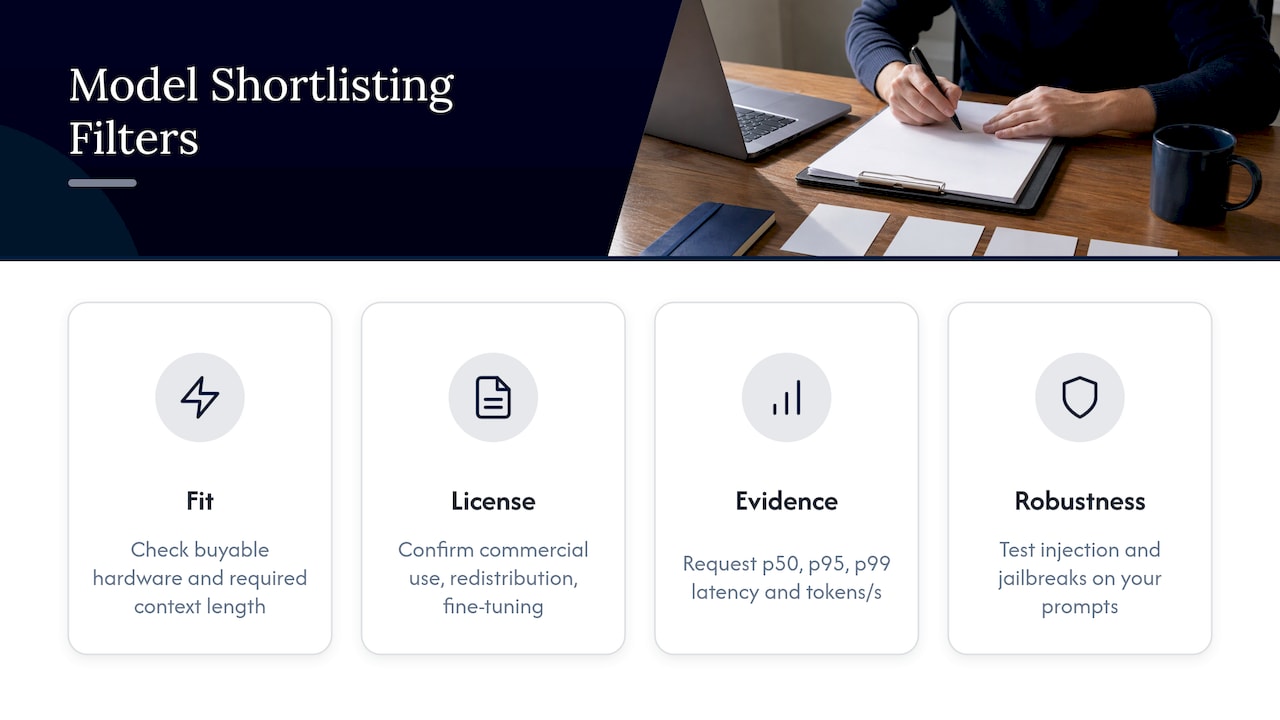
Fit. Can the model run on hardware you can realistically buy and power, at the context length you need?
License. Read the terms, not the headline. Some models ship open weights under permissive licenses. For example, Thinking Machines Lab’s Inkling model card states open weights under the Apache 2.0 license, along with intended uses, training-data sources, required hardware and limitations. That is the level of documentation to expect from any model you shortlist. Have counsel confirm that commercial use, redistribution and fine-tuning are all permitted for your case.
Evidence. Ask for operational metrics rather than generic capability claims: p50, p95 and p99 latency, tokens per second and how performance degrades under load (Supervised.online). We cover how to read throughput figures in tokens per second for LLMs.
Robustness. Test resistance to prompt injection and jailbreaks on your own prompts, not just public benchmarks.
Size is a tradeoff, not a ranking. A smaller model that answers within your latency target for every user often beats a larger one that queues. A specialized model tuned to your documents often beats a general one on your tasks.
Step 4: Size the hardware
Hardware follows the model, and memory is the first constraint. Weights stored in 16-bit precision take two bytes per parameter, so a 70-billion-parameter model needs roughly 140 GB for weights alone, before the KV cache that grows with context length and concurrent users. A single data center GPU such as the NVIDIA H100 SXM carries 80 GB of memory, so a model of that size spans several GPUs or needs a reduced-precision build validated for your accuracy needs.
A sizing checklist:
- Weights: parameters times bytes per parameter at the precision you will actually run.
- KV cache: grows with context length times simultaneous requests. This is why the context decision in your profile matters.
- Throughput: measure tokens per second at your target concurrency, not on one request.
- Headroom: leave room for upgrades, a second model version during rollout and failure of a node.
- Power, cooling and rack space: often the real limits in an existing data center or an edge site.
- Operating system and drivers: pin versions and test them as a set.
Capital cost is the headline item, but not the only one. On-prem deployments carry high upfront hardware investment, responsibility for scaling and monitoring, and a need for MLOps and DevOps expertise (Modular). Put staffing and operations in the budget next to the hardware.
Not every use case needs a rack. Forge’s webAI Frontline is built to give frontline teams fast, source-backed answers from large technical document libraries, fully offline on a single device. If your workload is field or shop-floor lookup, a single-device design may remove most of this sizing work.
Step 5: Test on your own workload
Public benchmarks tell you what a model can do in general. Your test tells you whether it will work for you. A sound protocol:
- Freeze the candidate release set, the workload and the test data so results are comparable.
- Measure quality, latency, throughput, errors and memory under representative load.
- Push to saturation, then test failures, restart, upgrade and rollback (VDF AI).
- Build the test set from real documents and real questions, with answers checked by the subject experts who will rely on the system.
- Require source-backed answers for document work, so reviewers can verify each claim against the original text.
Write pass or fail thresholds before you run the tests. It keeps the decision about the workload rather than about whichever model people already like.
Step 6: Security, sovereignty and governance
Keeping inference inside your perimeter removes the largest exposure, but it does not complete the security work. Confirm the legal, privacy and compliance requirements that apply to your data. Then use identity and access controls, input sanitization, output filtering and private network access, and store invocation logs securely (AWS Prescriptive Guidance).
For governance, the NIST AI Risk Management Framework 1.0 is a voluntary, non-sector-specific resource to help organizations govern, map, measure and manage AI risks (NIST roadmap). Use it as the skeleton for your review board. Turning those categories into a living risk register is easier with a worked method, such as these steps for an AI risk register.
Also check operational posture: single sign-on, user provisioning and log retention, and direct and indirect prompt injection resistance (Supervised.online). Regulated industries should ask their compliance team which specific rules, such as banking or export-control requirements, apply to model use before the pilot begins.
Step 7: Plan operations before launch
The model you choose will change. Build the operating model first.
- Gateway: put an OpenAI-compatible gateway in front for single sign-on, quotas and request logging.
- Ownership: assign owners and runbooks for updates, capacity reviews and incidents.
- Rollback: keep a path back to the previous model version (VDF AI). Our guide to LLM model versioning covers tracking, registering, releasing and rolling back.
- Revalidation: re-run versioned quality and grounding tests whenever the model, runtime, quantization, prompts, retrieval or policy changes.
- Telemetry: capture prompt length, retrieved documents, tool calls, latency, token usage, refusal category and human override rate across the full pipeline (Supervised.online).
- Regression testing: treat prompt changes like code changes. Shipping one without regression tests is like pushing to production with no CI pipeline (FourFold AI).
A worked example of the decision
Imagine a manufacturer that wants technicians to query 40,000 pages of maintenance documentation, with plants that have no reliable internet. The profile reads: question answering with citations, moderate context, 50 simultaneous users per site, English plus two other languages, proprietary designs. The tier is restricted at HQ and air-gapped at two plants.
That profile removes the largest models (too costly per site), removes any model without a clear license for commercial use, and favors a mid-size model with strong retrieval behavior. Testing then compares three candidates on real technician questions, scored by senior maintenance staff. The winner is whichever meets the latency target at 50 users with answers that cite the right manual page. The numbers here are illustrative, but the order of decisions is the point: workload, tier, shortlist, hardware, test.
Our perspective
Most failed on-prem projects we hear about did not fail on model choice. They failed on the gap between a working demo and a system someone owns at 2 a.m.
That is why we start with the environment, not the model. Whether it is an enterprise data center, an edge site or an air-gapped network, the boundary defines what is possible. Inside that boundary we design for zero data exfiltration, with data, models and domain intelligence all staying in your infrastructure, validated for privacy and auditability.
As an official webAI systems integrator, we deploy and operate webAI’s local-first platform: specialized AI Personas, the Intelligence Delivery Network, and webAI Frontline for fully offline, source-backed answers from technical libraries. Our leadership has more than 20 years in high-consequence and Fortune 100 environments, and it shows in how we treat testing, rollback and runbooks as part of the deliverable, not an afterthought.
Choose the model that your workload, your hardware and your operators can sustain. Then make sure someone is accountable for keeping it that way.
John
Get a sovereign deployment designed for your environment
If you have a workload profile, or just a data boundary you cannot cross, we can help you move from shortlist to production. Forge covers secure local and air-gapped deployment, custom model integration and optimization, private AI assistant rollout, sovereign MLOps and runtime orchestration, and ongoing operations. See the Forge deployment services or read how the webAI partnership shapes our deployments.
Engagements are scoped to your environment, so there is no published price. Start from the Forge AI Deployment home page to get in touch.
FAQ
Is an on-prem LLM cheaper than using an API?
It can be when volume is steady and high, because owned capacity then beats per-token pricing (Infro). At low or spiky volume, hardware sits idle and operations staff add cost. Many teams therefore justify on-prem by data control first and treat cost as a secondary benefit.
What is the first thing to decide when choosing a model?
The workload profile: task, context length, latency, concurrency, languages and data sensitivity. It determines the deployment tier and removes unsuitable models before any benchmarking. Without it, comparisons drift toward whichever model is most popular.
Can an LLM run completely air-gapped?
Yes. In an air-gapped site, weights, container images and updates arrive through a controlled transfer process (Infro). Plan the transfer, validation and rollback steps before go-live, since you cannot fetch fixes on demand.
How do we know a model is good enough for production?
Freeze your candidates, workload and test data, then measure quality, latency, throughput, errors and memory under realistic load. Include saturation, failure, restart, upgrade and rollback tests (VDF AI). Set pass thresholds before testing starts.
Sources
- On-prem LLM: when to run models on your own hardware (Infro)
- How to Select a Local LLM for Enterprise Workloads (VDF AI)
- Enterprise Local LLM Deployment Handbook (VDF AI)
- Inkling Model Card (Thinking Machines Lab)
- Evaluating LLM Vendor Claims in 2026 (Supervised.online)
- NVIDIA H100 GPU
- On-prem LLM deployments (Modular LLM Inference Handbook)
- AWS Prescriptive Guidance: enterprise-ready gen AI platform
- Roadmap for the NIST AI Risk Management Framework
- LLMOps Explained (FourFold AI)
- AI Risk Assessment: 5 Steps to a Risk Register (Lexic)